How to generate OGL where any structure is present in the cross section using Road Estimator?
To add structure details in the cross-section, follow these steps:
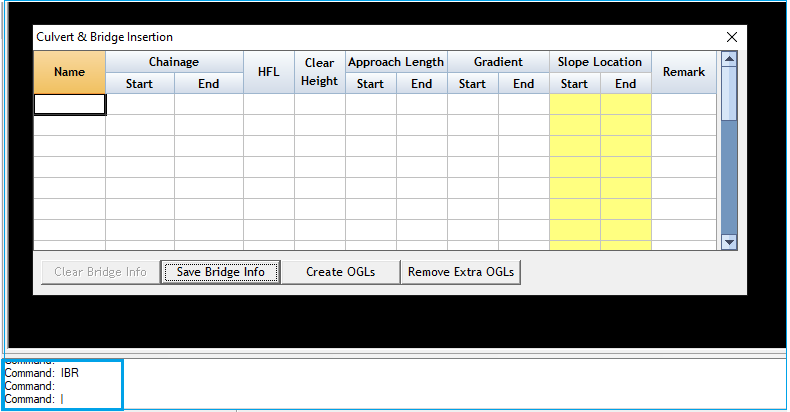
Step:1 Type "IBR" in the command bar and press Enter. A window will open, as shown in Figure 1.
Figure 1
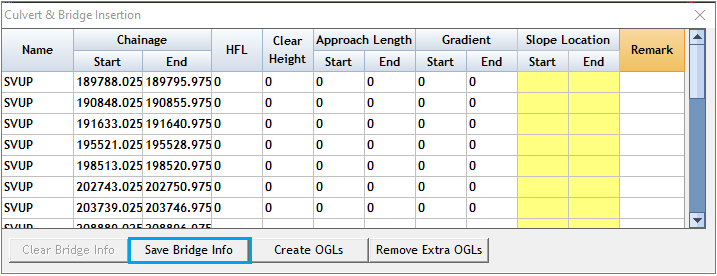
Step:2 Enter your structure details in the opened window and save the Bridge Info.
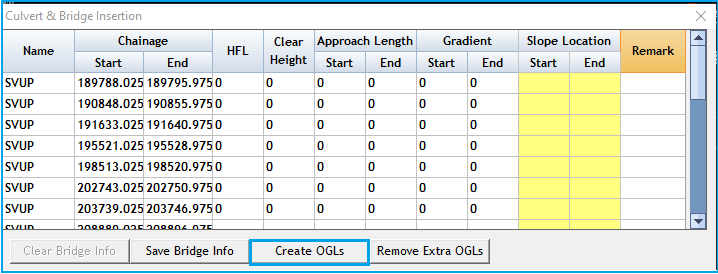
Step:3 Click on the "Create OGLs" button.
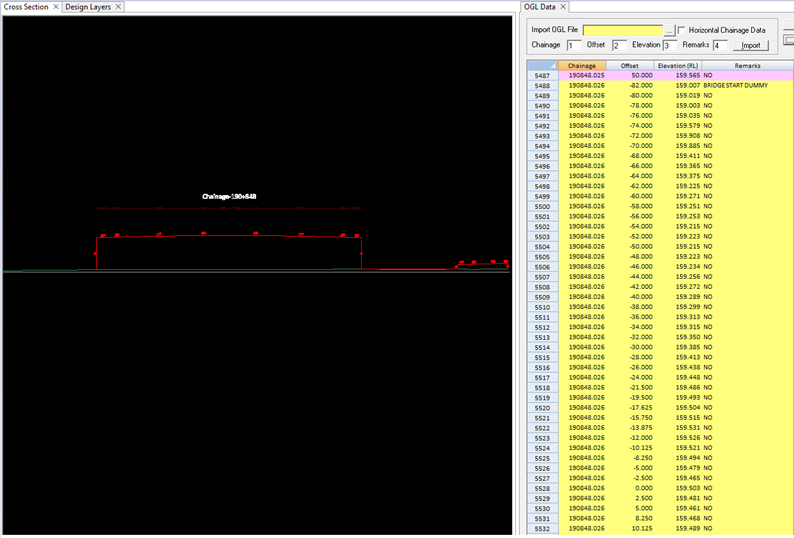
Step:4 Close the window and process the data.
Step:5 The structure data will be automatically added to the Cross Section.
By following these steps, you can easily incorporate structure details into your cross section.
Related Articles
How to generate as built cross sections using survey data in Road Estimator?
We can generate as-built drawings using Field layer option which is available in DATA menu, Step 1 In Field area definition window, click on Add button. Then define field area details such as Layer Name, Color and import data and save it. Select ...When I'm using the add print cross section option to export the cross section from Road Estimator to .dwg format only few chainages are exporting, why?
That's because of the Road Estimator update to not process all the cross sections together to save time. If you want to print or export all cross sections follow the steps mentioned below: Go to Config menu. Select Baseline option ii. Uncheck the ...How to attach print template when we are using Multi CS View option to print the cross sections in Road Estimator?
To attach the print template in Multi CS view, follow the steps mentioned below: Go to File menu and select Multi CS View option Now fill in the details as per print requirement Total Row: Enter number of cross section rows required in single sheet. ...How to display area in the cross section after defining it in User Defined Field of Road Estimator?
Dynamic table is used to show the area statement with the cross section. This could be any predefined areas such as cut / fill, design layers, PCC etc. It is even possible to define areas in case those are not available in the predefined area list. ...Can I Import OGL data into Road Estimator saved in horizontal format?
Yes, it is possible to import the horizontal OGL data in Road Estimator. Data/ OGL data and select Horizontal Chainage Data Then click on Import button, the data will get Imported. Format of data in .csv file should be: